Claude Code,
minus the babysitting.
Every session and account on one screen, in tmux. Handover instead of compaction. One Rust binary.
$ curl -fsSL https://toomux.com/install.sh | sh
$ toomux init --applyLinux or macOS (Windows through WSL 2), tmux 3.2 or later, and Claude Code. Then press alt-s.

I run ten or so Claude Code sessions across two Max 20x accounts. At any moment one is waiting on a permission prompt I haven't seen, one has hit its limit, and one is 800k tokens deep, re-reading all of it on every call.
I built toomux to deal with that. Everything in it I learned the hard way.
 short, sharp sessions
Handover instead of compaction
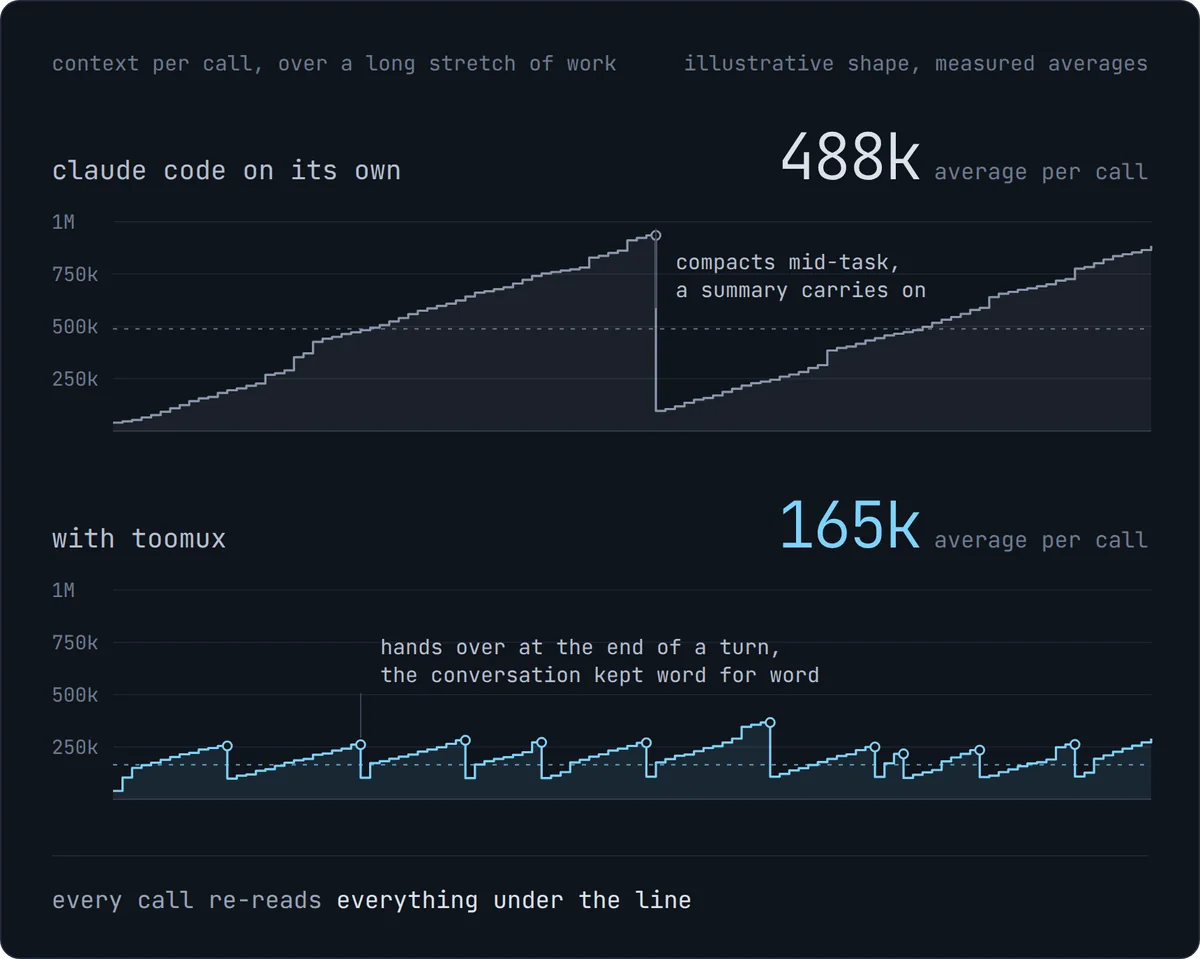
Every call re-reads the whole conversation. At 800k tokens that's $0.16 a call, or $6.40 if the cache has gone cold. On a Max plan it eats your limits instead. And the model gets worse at using what's in front of it as the context grows.
When the context fills up, Claude Code compacts: it summarises the conversation and carries on, usually mid-task, and details get lost.
toomux hands over well before that. Once a session passes 250k and finishes its turn, it writes a brief, saves what it learned to memory, and a fresh session picks up in the same pane. Nothing is summarised, and the old conversation stays searchable.
beforewith toomux
My own numbers from toomux tokens, at API list prices. I run handover at 200k.
 keeps going without you
Voyages
Tell a session what done looks like, and it keeps working until it gets there. You don't have to sit and watch it.
/voyage the auth tests pass --check "cargo test auth" --budget 40That session works until the auth tests pass, proves it by running cargo test auth, and stops if it has spent $40. It hands over to a fresh session as it goes, and waits out a usage limit instead of stopping dead.
how hard it pushes
- lighttakes the session's word for it
- steadywants to see the proof. The default.
- harda proof lap first: a clean re-run, and a read over its own changes
- relentlesstwo laps, the second trying to break it, then a sceptical review
A check costs about $0.001 with Haiku.
 one screen
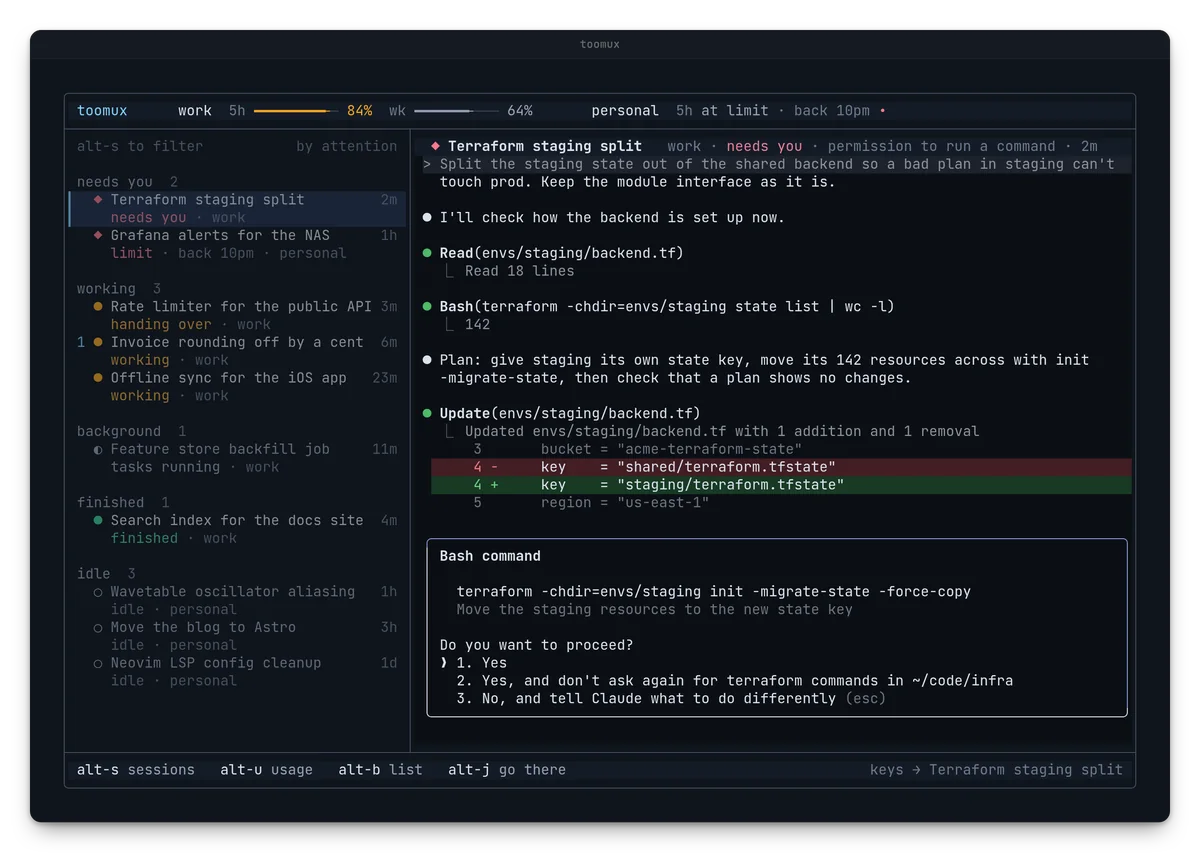
Every session, one screen
Press alt-s anywhere in tmux: every session, sorted by what it needs from you, with the selected one live next to the list. Reply right there. Each one shows what it has cost and how long its cache stays warm, so you know when coming back to it will be expensive.
Rather stay in tmux?
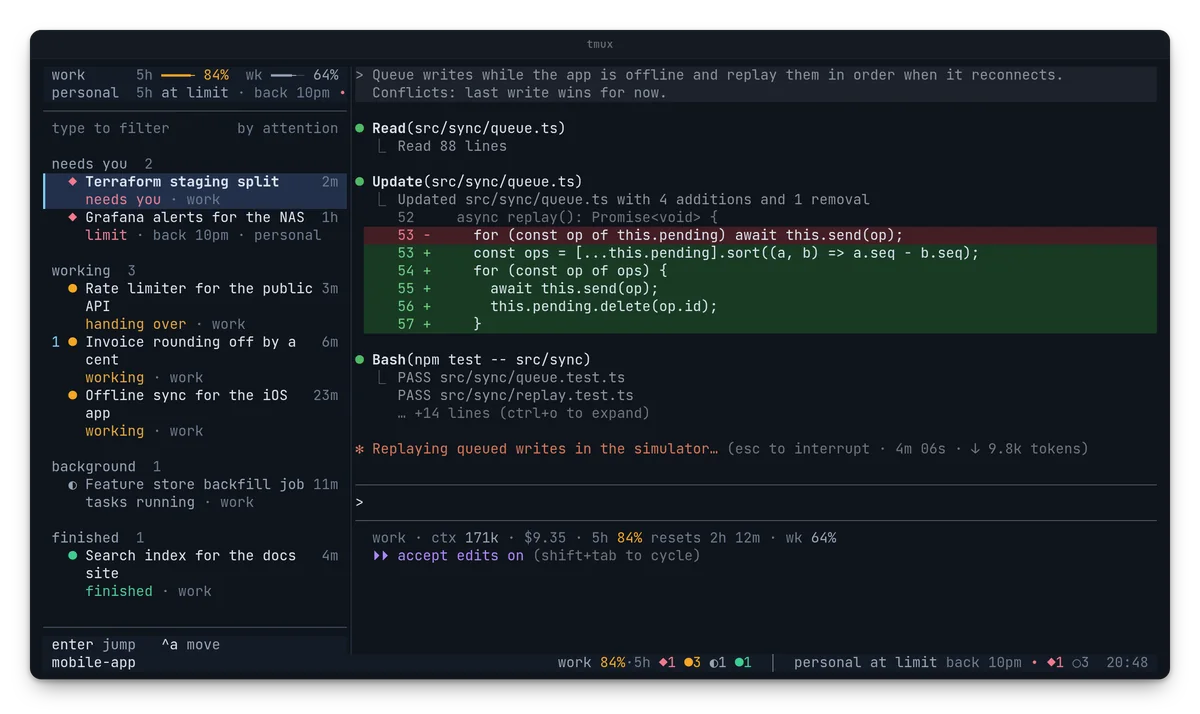
alt-b keeps the list down the side of any window, and the status bar tells you the moment something needs you.
Out of room?
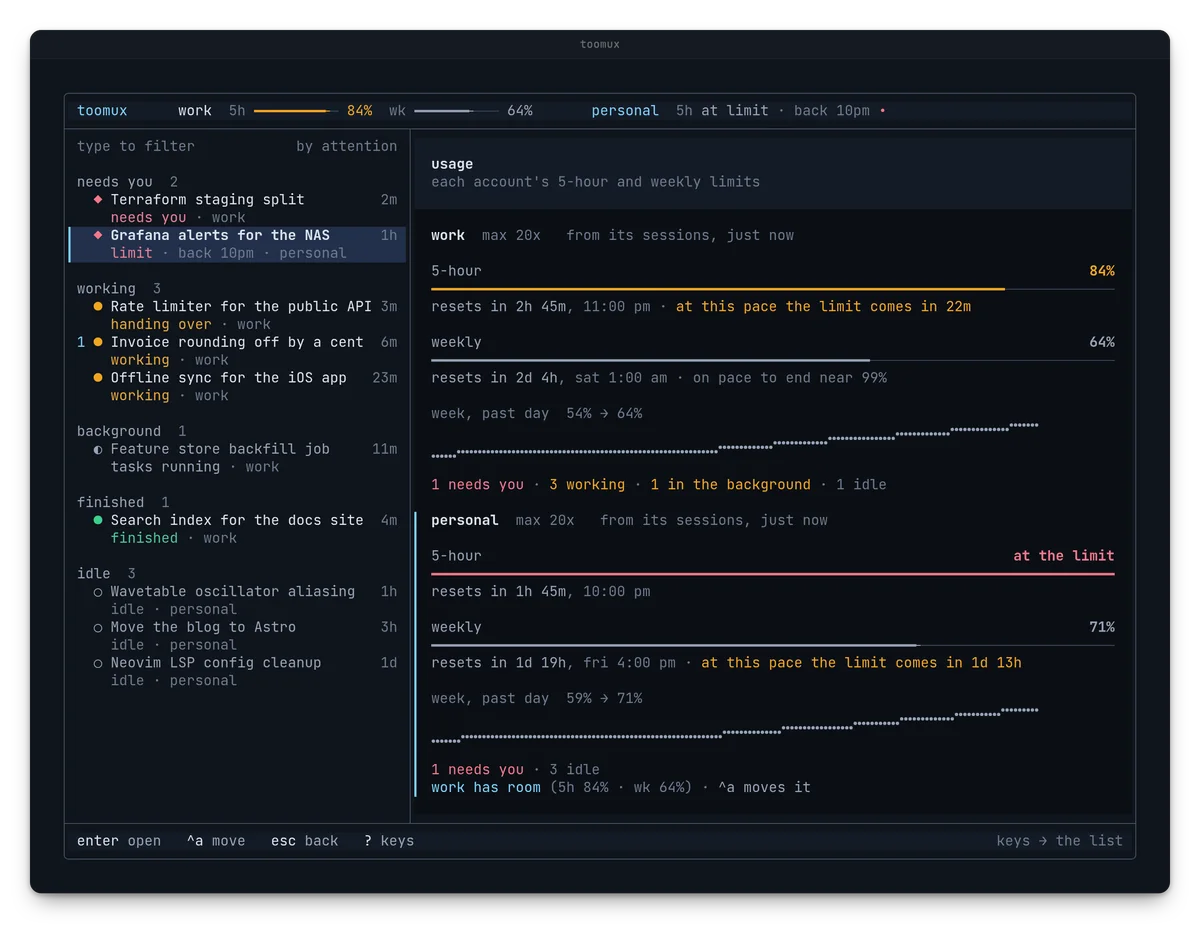
When an account hits its limit, ctrl-a moves the conversation to one with room, in the same pane. alt-u shows when you'll hit the limit at your current pace.
 remembers everything
One memory for every session
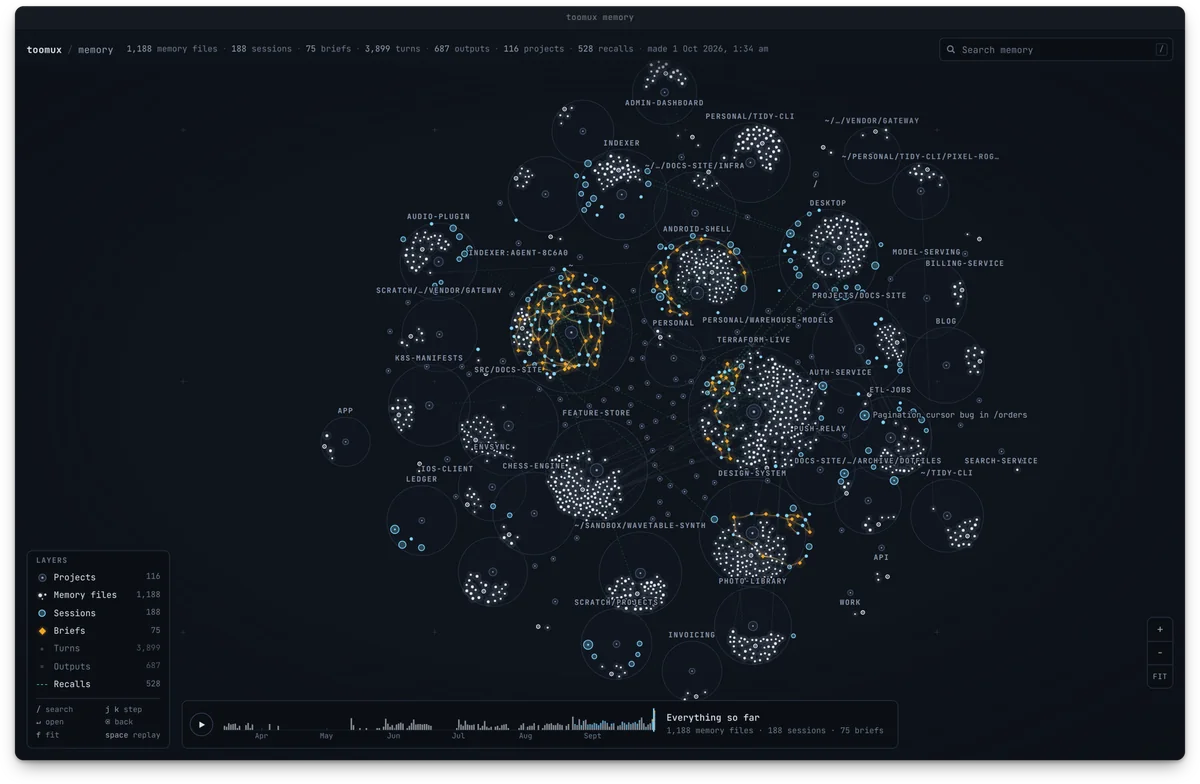
Every conversation is indexed as it happens, along with handover briefs and every project's Claude Code memory files. Any session can search all of it, in any project, so you don't have to explain things twice. toomux graph --open draws the lot: every project, the sessions that ran there, and the briefs they handed over with.
Where the tokens went
toomux tokens shows what your sessions used, what toomux saved, and who spent it. A one-line digest of yesterday arrives each morning.
Nothing thrown away
Transcripts are kept past Claude Code's 30-day cleanup, and memory files are fixed when you move a folder.
 out of the way
- One Rust binary. No daemon, no proxy, about 9MB of memory.
- Its own tmux server per session. One crash can't take the rest down.
- Subagents hand over too. A fork from a big conversation becomes a briefed subagent.
- Long output kept whole. Shown short, and read in full only if Claude needs it.
- Back after a reboot. Whatever was running reopens by itself.
- Easy to leave. Each part turns off with one line, and
toomux uninstallremoves it all.
Coming soon
- CodexCodex sessions in the same list as Claude Code ones.
- Local modelsSessions running on models you host yourself.
- toomux remoteAll of toomux from your phone. Claude Code's own Remote Control already works, and stays on through a handover, an account move and a reboot.
Get it
$ curl -fsSL https://toomux.com/install.sh | sh
$ toomux init --applyThen press alt-s in tmux. Everything is on by default. Every key and setting is in the guide, and if it helps, a star on GitHub is appreciated.